
This article is written by the Stok Terminal team, one of the two sides, so we say it up front. Prices and plan details for Investing.com come from its own site, with the date we checked them, and each section says which investor each tool suits.
Quick decision: choose Stok Terminal, from €9.90/month$9.90 USD/month, if you analyze companies and want multi-year financial statements, earnings call transcripts, SEC filings, watchlists and portfolio in one workflow without ads. Stay on Investing.com if your main tools are the economic calendar, multi-asset quotes and market news.
Comparison table
| Stok Terminal | Investing.com | |
|---|---|---|
| Philosophy | Specialized, ad-free fundamental-analysis app | Ad-supported market portal |
| Economic calendar | No (by design) | Free and detailed |
| News | No news feed | Constant stream |
| Fundamental history | 7 years (Starter), 15 (Plus), all available on Premium: more than 40 years for some companies | Limited on the free site; more on InvestingPro |
| Ratios | ratio explorer with annual, quarterly and daily series where available | Limited on the free site; more on InvestingPro |
| Earnings and filings | Earnings call transcripts (3 / 10 / all years) and all SEC filings with a filter; no analyst estimates or earnings calendar | Earnings calendar |
| Portfolio | Multi-currency, manual or imported from your broker’s file, realized and unrealized P&L | Basic |
| Screener | No (in development) | Yes |
| Ads | No | Yes on the free site |
| Monthly price | From €9.90/month$9.90 USD/month · plans | Free site; InvestingPro monthly rate not verified |
| Product status | Available — launch offer | Mature, global scale |
We have not verified a standard monthly rate or the current plan limits of InvestingPro, so this table quotes neither. Stok Terminal shows its standard monthly price.
Launch offer
During launch, choose Starter at €8.90/month$8.90 USD/month instead of €9.90/month$9.90 USD/month, Plus at €9.73/month$9.73 USD/month instead of €13.90/month$13.90 USD/month and Premium at €17.94/month$17.94 USD/month instead of €29.90/month$29.90 USD/month, or up to 50% off on annual billing. Your tariff keeps the same amount while your subscription remains active. Upgrades and monthly-to-annual switches keep the launch tariff; downgrades and annual-to-monthly switches use the current standard tariff. Cancelling ends it. Create your account with email and terms acceptance, verify the code, then choose a plan and provide your card to start the 14-day trial. See the plans.
The core difference: market portal vs workbench
Investing.com is a market portal. Its strength is the real-time snapshot of everything that moves: a detailed free economic calendar, quotes for markets around the world, and a constant stream of news. It is free and ad-supported, which is why it is one of the most-visited financial websites in the world.
Stok Terminal is an analysis workbench. Its strength is one process: reading a company’s fundamentals across the years, tracking it in a watchlist and connecting it to your portfolio, without noise or ads.
That difference in purpose explains everything else — the ads, the data depth and who each one is for.
What Stok Terminal does differently
- Earnings calls and filings next to the numbers. Every SEC filing with a form filter, and earnings call transcripts to read how management explains each quarter: 3 years on Starter, 10 on Plus and all available on Premium.
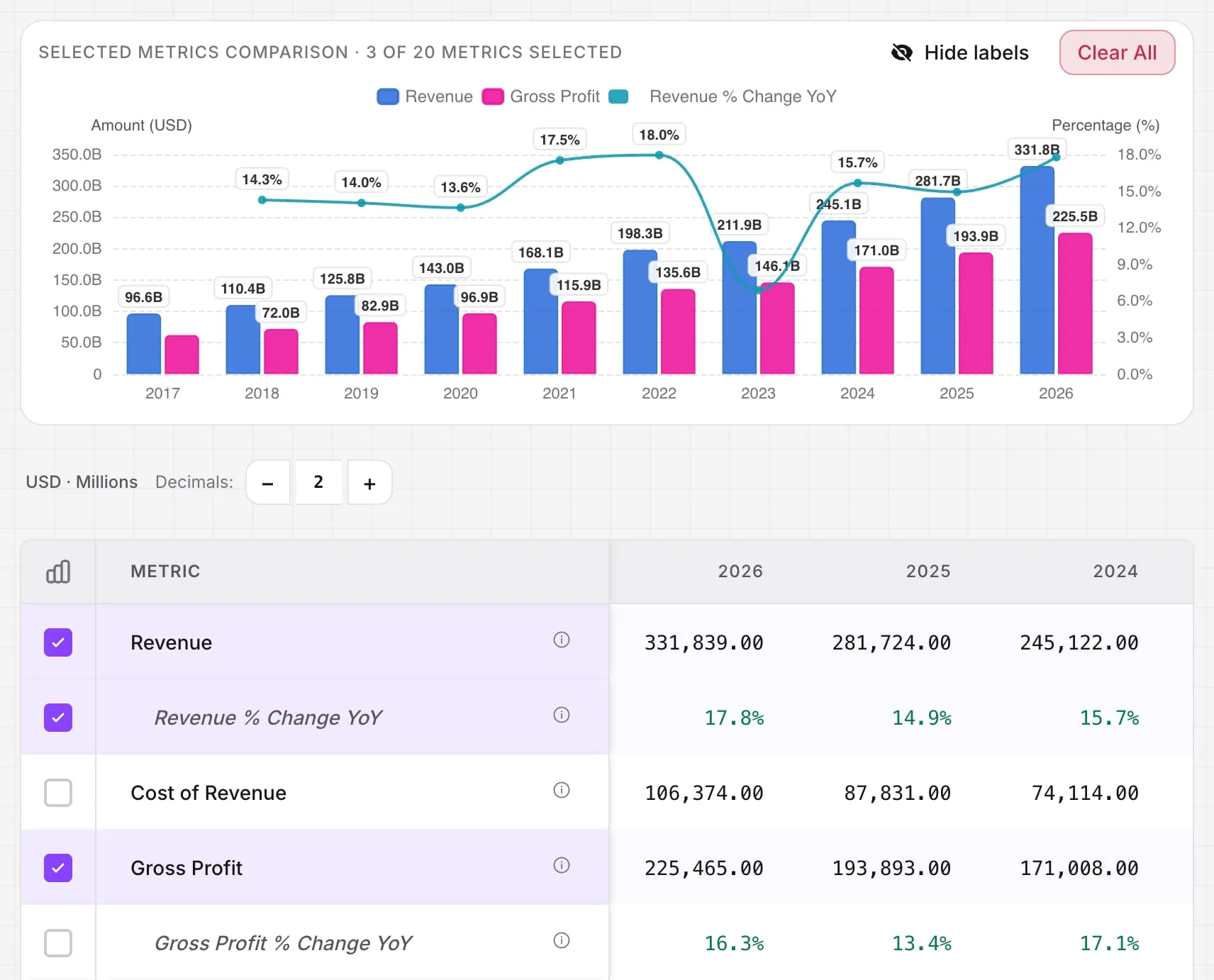
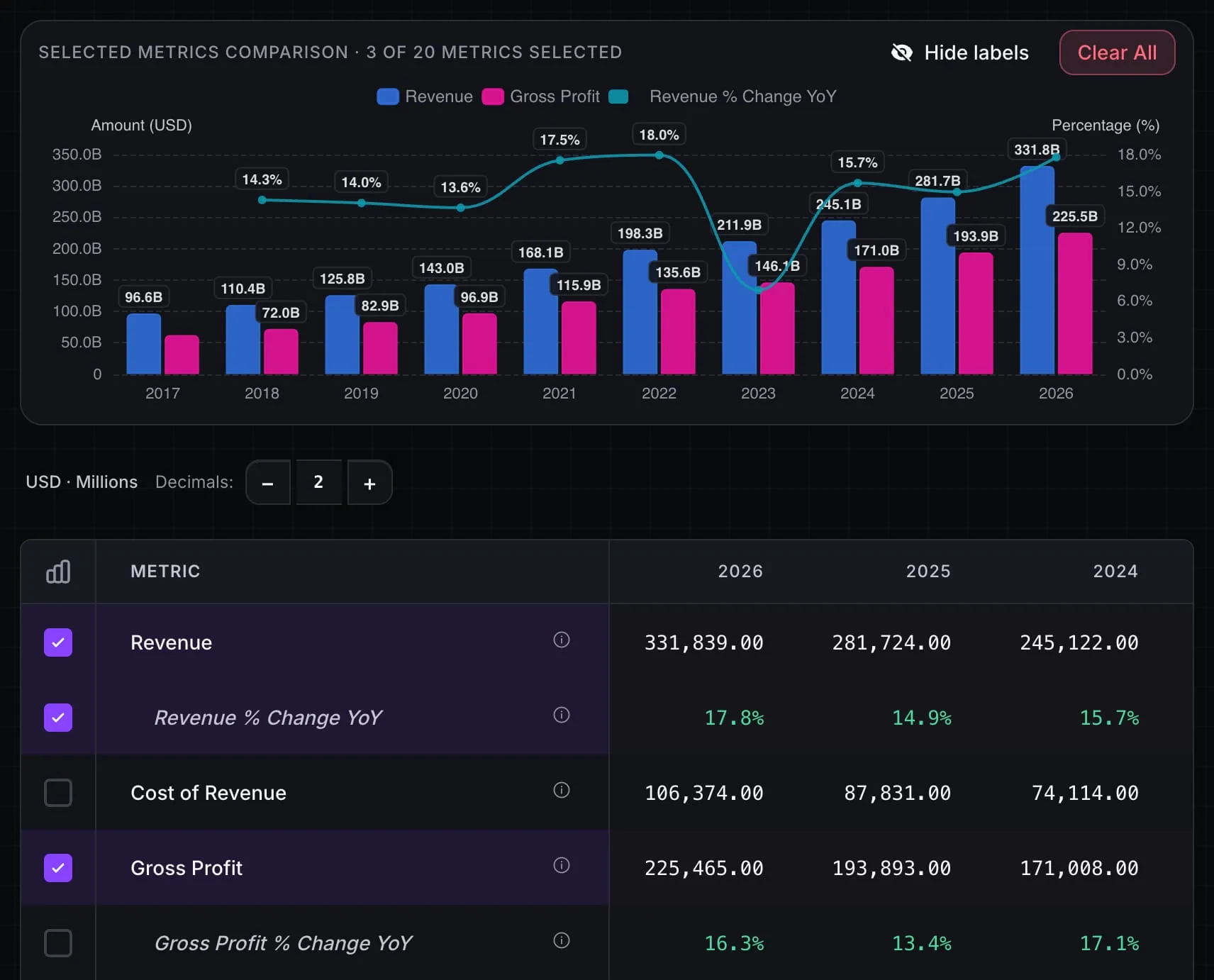
- History up to everything available. Annual and quarterly statements with 7 years on Starter, 15 on Plus and all available history on Premium, more than 40 years for some companies. Up to 20 metrics in one chart.
- A ratio explorer with annual, quarterly and daily series, from ROIC and margins to free cash flow. Daily series depend on coverage and publication dates that can be reported or inferred. Review those limits in the data methodology.
- A comparator of 2, 4 or 6 companies side by side, depending on the plan (Starter, Plus, Premium).
- Sankey diagrams, on Plus and Premium: Money Flow from revenue to net income, the allocation of operating cash flow, and the structure of the balance sheet over time.
- Watchlists and portfolio connected to the analysis. Watchlists with custom columns on every plan; a multi-currency portfolio, entered manually or imported from your broker’s file, with realized and unrealized P&L (full portfolio analytics on every plan); notes with tags.
- No advertising or sponsored content. On the free site, the data competes with banners, pop-ups and notification prompts for your attention. A subscription model removes that incentive.
- Spanish interface and plans from €9.90/month$9.90 USD/month, with prices in euros and US dollars on the pricing page.
Stok Terminal lets you create your account in the app with email and terms acceptance, then verify the code sent to your inbox. Signup does not require a name or password. During launch, the offer gives Starter 10% off monthly or 25% off annual billing, Plus 30% or 40%, and Premium 40% or 50%, respectively. Your tariff keeps the same amount while you remain subscribed. Upgrades and monthly-to-annual switches keep the launch tariff; downgrades and annual-to-monthly switches use the current standard tariff. Cancelling ends it. Choose your plan and provide your card to start the 14-day trial.
What we don’t have today, plainly: the economic calendar and the news, which Investing.com covers well; Stok Terminal complements it with the in-depth analysis of each company, and its screener is in development.
What Investing.com does better
- A very complete free economic calendar. Earnings dates, central bank decisions, GDP, employment — all with filters, history and real-time updates. Many professionals use it daily and we don’t try to replicate it.
- Massive multi-asset coverage, with global markets and indices in one place.
- Free real-time quotes for an enormous range of instruments.
- Well-worn technical analysis and mobile app, with alerts and an active community.
If what you want is a free global market dashboard, the honest answer is: stay on Investing.com. It is hard to beat at that.
InvestingPro: when Investing.com becomes paid
Two products are often confused. Free Investing.com and InvestingPro, its subscription, are different experiences: InvestingPro adds company data and tools on top of the free site and removes the advertising.
We have not verified a standard monthly rate or the current plan limits of InvestingPro, so we quote neither. Before subscribing, compare its monthly rate on its website with tools focused on fundamental analysis. We put it in context in Investing.com alternatives.
When to choose each
Choose Investing.com if:
- Your main tool is the economic calendar and the day’s market news.
- You want a free global market dashboard and the ads don’t slow you down.
- You upgrade to InvestingPro Pro+ and that flow inside its ecosystem fits you.
Choose Stok Terminal if:
- You analyze stocks with multi-year financial statements and want to do it without dodging ads.
- You care about the full flow: analysis → watchlist → portfolio in one place.
- You prefer a Spanish interface and paying in euros.
- You want to start with the current launch offer and its published conditions.
Use both if: you want Investing.com’s economic calendar and multi-asset view for the market, and a dedicated app for fundamental analysis. They do not compete at the same step of the process.
How we compared
- Official prices only. We quote competitor prices only when we have checked a standard monthly rate on their own website, with the date. We could not verify one for InvestingPro, so none is quoted.
- Fundamental-analysis focus. We judge each tool by what matters to study a business over time: history depth, ratios, earnings and filings, and the link to your portfolio.
- Only what exists today. Stok Terminal features are listed with the plan that includes them, and what is still in development is marked as such, without dates.
- Conflict of interest. We build Stok Terminal and benefit if you choose it. That is why we state what Investing.com does better and which investor should not choose us.
Frequently asked questions
What is the main difference between Stok Terminal and Investing.com? Purpose. Investing.com is a market portal: a detailed free economic calendar, multi-asset quotes and news, funded by advertising. Stok Terminal is a fundamental-analysis app: multi-year financial statements, ratios, earnings, filings, watchlists and portfolio in one ad-free flow, with a Spanish interface and prices in euros and US dollars.
Isn’t Investing.com free? Why pay for anything else? For the economic calendar, quotes and news, free Investing.com is hard to beat. For company analysis, the free site offers limited depth. InvestingPro, its subscription, adds more, but we have not verified a standard monthly rate for it, so we do not quote a price.
Does Stok Terminal have an economic calendar like Investing.com? No, and it is a design decision. Investing.com’s free economic calendar is very complete; we don’t try to replicate it. We focus on company fundamental analysis. If the calendar is your main tool, stay on Investing.com.
Which is cheaper, Stok Terminal or InvestingPro? Stok Terminal keeps its current monthly, annual and launch offers on the pricing page. We have not verified a standard monthly rate for InvestingPro, so we do not quote one or compare against it.
Market dashboard or analysis workbench?
For fundamental analysis, Stok Terminal brings together multi-year fundamentals, earnings, filings, watchlists and portfolio in one flow, with a Spanish interface and prices in euros and US dollars.
Create your Stok Terminal account — a 14-day trial starting when you provide your card; see the current launch offer.
Transparency
Comparison written by the Stok Terminal team; keep that in mind as you read. We have not verified a standard monthly rate for InvestingPro, so it is omitted.
This article is for information only and is not financial advice.